How to manage AI security with a lean team and no AI security staff
If your security team supports multiple business units without dedicated AI specialists or extra headcount, start with a repeatable way to identify uses, review material changes, and follow up on controls. This guide covers what to review, when to involve specialists, and how to establish coverage with limited capacity.
IBM's 2026 Cost of a Data Breach Report reported a 56% year-over-year increase in AI-driven attacks and an average breach cost of $6.07 million for model-inversion incidents in its study. These findings concern both attackers using AI and attacks on AI systems; this guide focuses on securing the AI your organization operates.
What does a lean security team need to do about AI
A lean team needs four capabilities: identify AI already in use, screen proposed uses consistently, apply minimum security controls, and preserve material decisions. Establish the policy and approval authority needed to support this work, with specialist review where the risk requires it.
Start with the decisions that need an owner and the systems that need controls. Publish a short interim rule explaining which uses require review, then improve the inventory and intake together. A policy becomes useful when teams know how to submit a use, who can approve it, and what evidence is required.
When should the AI review happen
Review while the feature, vendor, or use case is still being decided, before choosing a provider, granting access, signing a contract, or exposing a feature to customers. Early findings can change the proposal; later findings may require code changes, migration, or incident response. Discovery and runtime controls remain necessary to find unreviewed uses and verify deployed behavior.
A two-week AI security plan for a lean team
Run a bounded pilot on one proposed AI feature and one existing system. Assign business owners alongside Security so the same reviewer is not responsible for implementing every control.
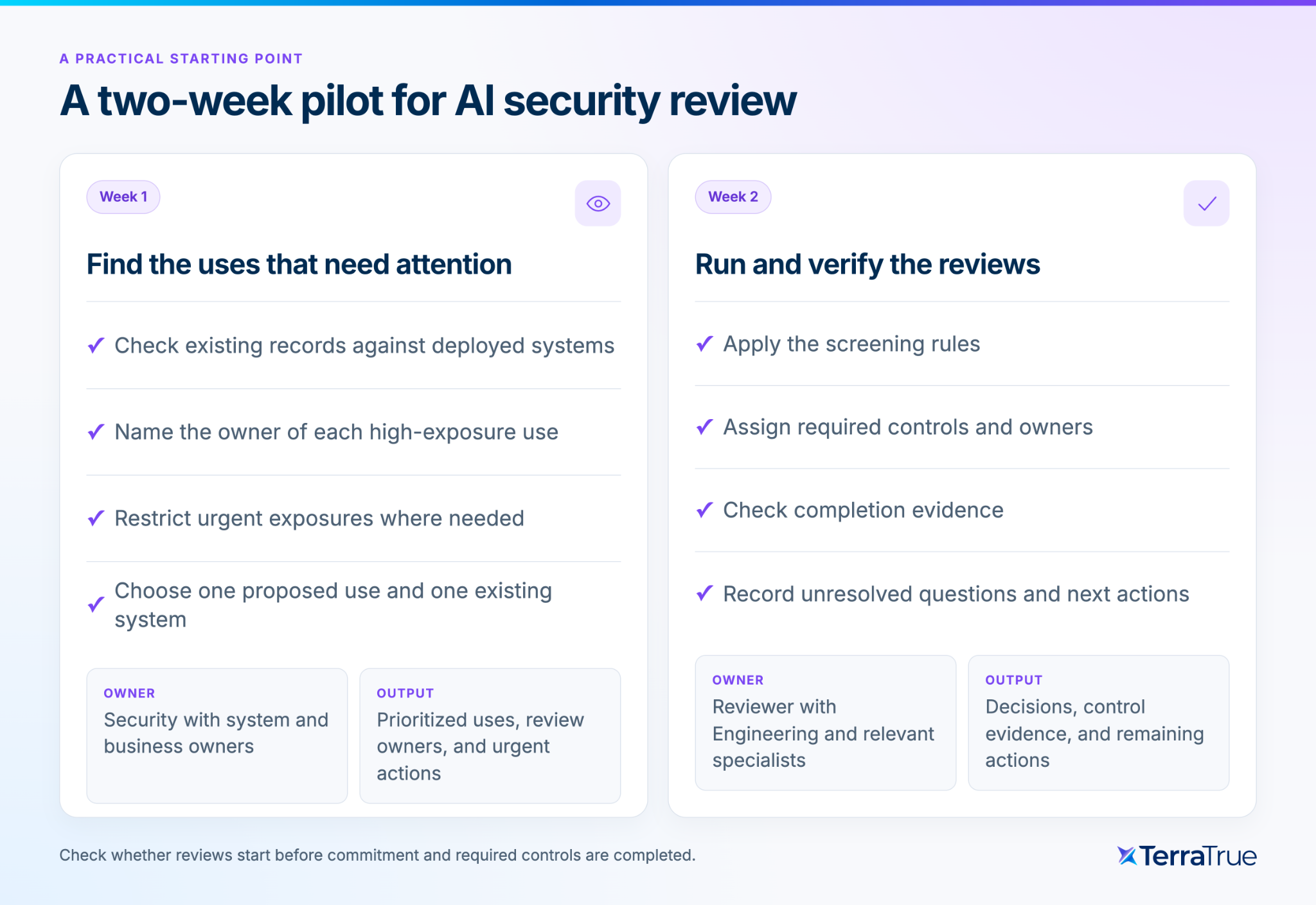
Week 1
Action: Reconcile high-exposure AI uses and proposed work; apply necessary interim restrictions.
Owner: Security lead with system and business owners
Deliverable: Prioritized inventory; review owner; restrictions and escalation route.
Week 2
Action: Screen one proposal and one existing system; assign controls and verify closure evidence.
Owner: Reviewer with Engineering and relevant specialists
Deliverable: Recorded outcomes; control owners; evidence gaps; next review date.
Review the pilot using three measures: unreviewed high-exposure uses, overdue control actions, and whether proposed uses reached review before a design or vendor commitment. Escalate urgent exposure immediately; the pilot is not a reason to delay an incident response.
How to find existing and unreviewed AI
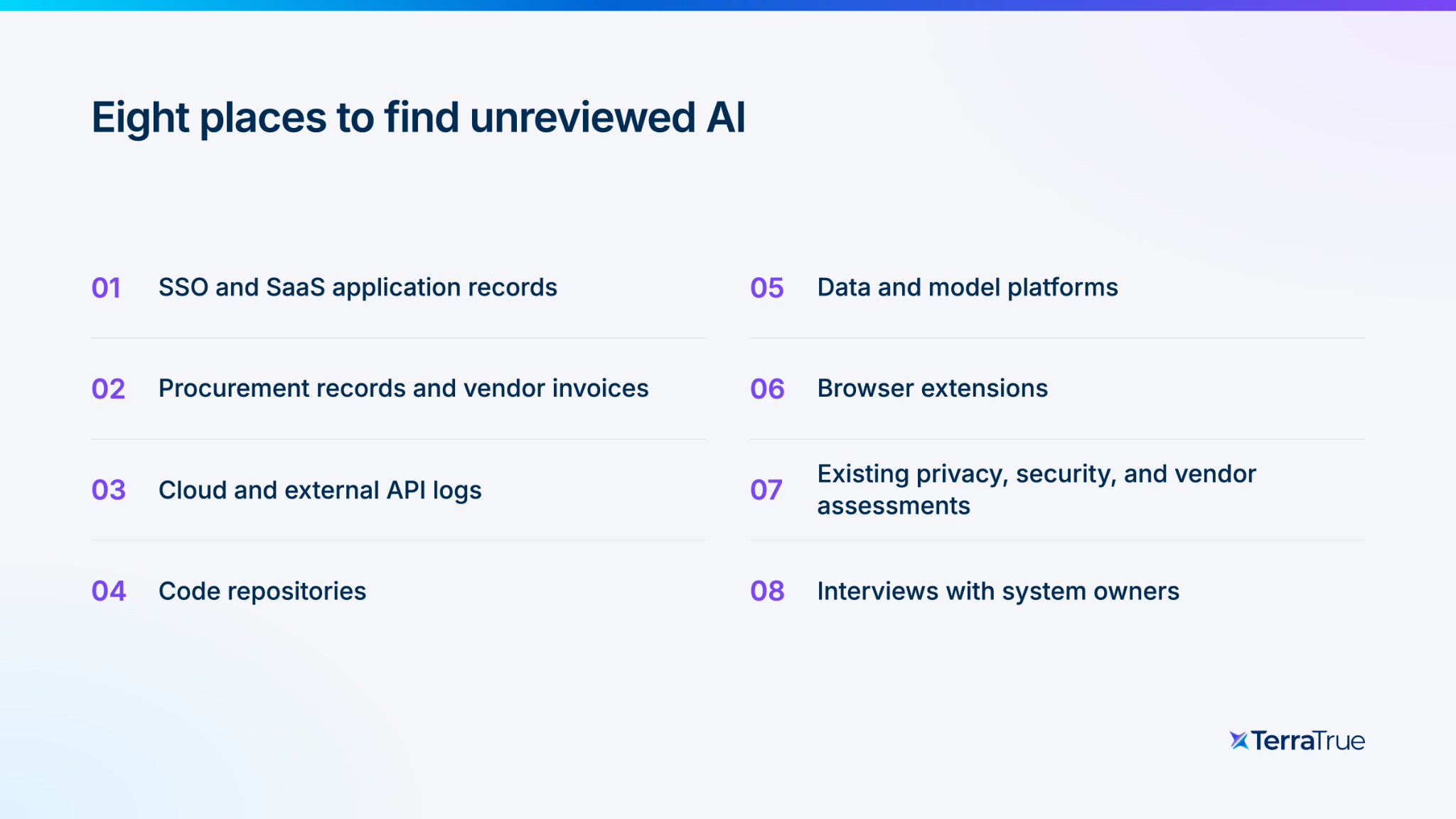
Search recent specifications for model, LLM, embedding, agent, prompt, and known AI vendors. Then reconcile proposed and reviewed uses against eight sources: SSO and SaaS inventories; procurement and expenses; cloud and API logs; code repositories; data and model platforms; browser extensions; existing assessments; and interviews with system owners. Ask Engineering which external APIs production systems call.
Confirm what is deployed and record each use’s owner, purpose, data sources, available actions, and review status. TerraTrue supports document-led intake and a Data Catalog that scans connected data sources and maps detected data types to the organization’s taxonomy. These provide complementary evidence; neither establishes that every AI system has been identified.
The same IBM study reported that the share of security incidents involving shadow AI rose from 20% to 43%. Compare discovered systems with reviews on file, investigate unmatched uses, and prioritize those with sensitive data or broad permissions.
For each unmatched system, assign an owner and decide whether it can continue operating during review. Improve intake and repeat the reconciliation periodically so new gaps become visible.
What questions should a small team ask about every AI feature
Use these three questions to identify the controls and specialist input each use requires.
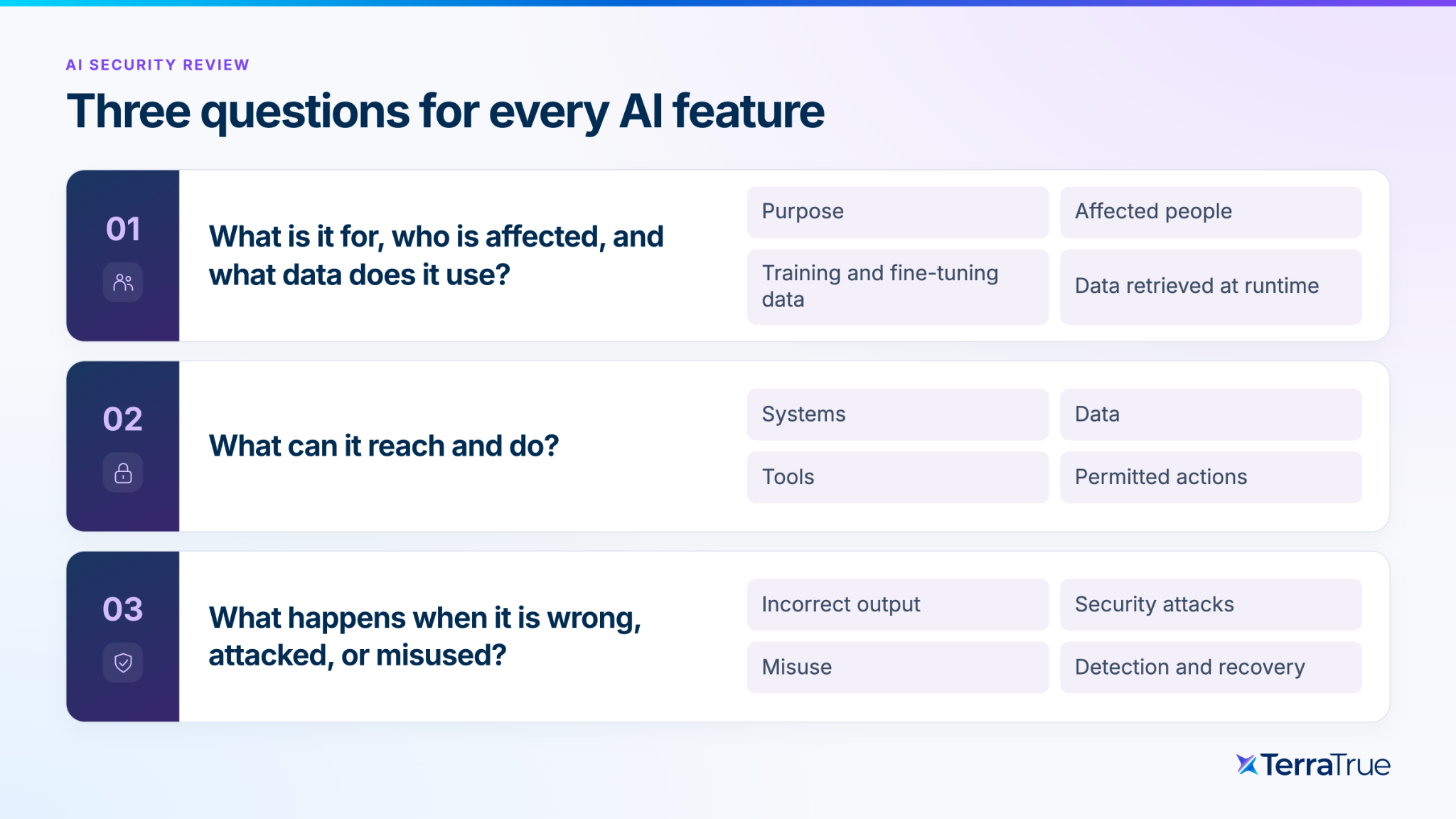
What is it for, who is affected, and what data does it use? Identify the intended decision or task, the people affected, training or fine-tuning data, and anything retrieved at runtime. Personal, confidential, regulated, or customer-controlled data can change both the required controls and the review path.
What can it reach and do? Document the tools, systems, identities, data, and actions available to it. Drafting an answer presents a different risk from sending messages, changing records, approving transactions, or invoking production systems. In the IBM study, 92% of organizations that experienced an AI-related breach lacked proper AI access controls.
What happens when it is wrong, attacked, or misused? Consider an isolated error, an error repeated at scale, prompt injection, data leakage, privilege misuse, and a failure that remains undetected. The consequences determine the necessary testing, monitoring, escalation, and rollback controls.
These questions apply to product features, internal tools, vendors that embed models, and proposed business use cases. Record the answers and unresolved facts before selecting the review path.
Minimum AI security controls to check before launch
- Confirm a named system owner, an authorized approver, and an owner for each required control.
- Verify permitted tools and actions, least-privilege identities, and authorization enforced outside the model.
- Test customer and tenant boundaries across retrieval, indexes, caches, and downstream APIs.
- Confirm what data reaches the provider, permitted reuse, retention, and deletion controls.
- Test relevant failure and abuse cases, including prompt injection when the system consumes untrusted content. Use OWASP’s prompt-injection guidance to inform test cases.
- Define proportionate logs and alerts, their recipients, and a route to human support or incident response.
- Identify who can disable the system, revoke access, or roll back a change, and test that procedure.
For each applicable control, retain the implementation evidence and unresolved exceptions. A requirement written in a specification is not evidence that it works.
How do you decide which AI changes need a full review
Write a threshold and apply it consistently, but do not rely only on counting triggers. Use hard triggers for uses that always require a full assessment, such as sensitive or children's data, consequential decisions, privileged system access, autonomous external actions, or a regulated use. Then use weighted factors, including a new AI component, a new third party, user exposure, scale, reversibility, and detectability, to distinguish a light review from a full assessment. Low-risk changes can be logged under an expressly approved rule.
Make each screening outcome explicit: a targeted review resolves a limited question; a full assessment evaluates material risks and release conditions; a documented no-assessment decision records the approved rule and evidence that permit that route. Assign an owner to exceptions.
Keep the routine questions concise and link to detailed definitions where needed. Test the rule against several real changes, including a high-impact use with only one trigger and an incomplete proposal. Missing information should prompt a follow-up, not a low-risk result.
Which parts of AI security review can run without a human
Automation can assemble source material, suggest answers, and route work through configured rules. Reviewers verify material facts, resolve uncertainty, and exercise the approval authority assigned by policy.
Related: Why risk reviews should start in the doc, not the ticket. Watch the Google Docs integration explanation.
Turn uncertainty into an actionable request. An unclear access scope should prompt the owner to provide an authorization design and test evidence; a High rating alone does not resolve the issue.
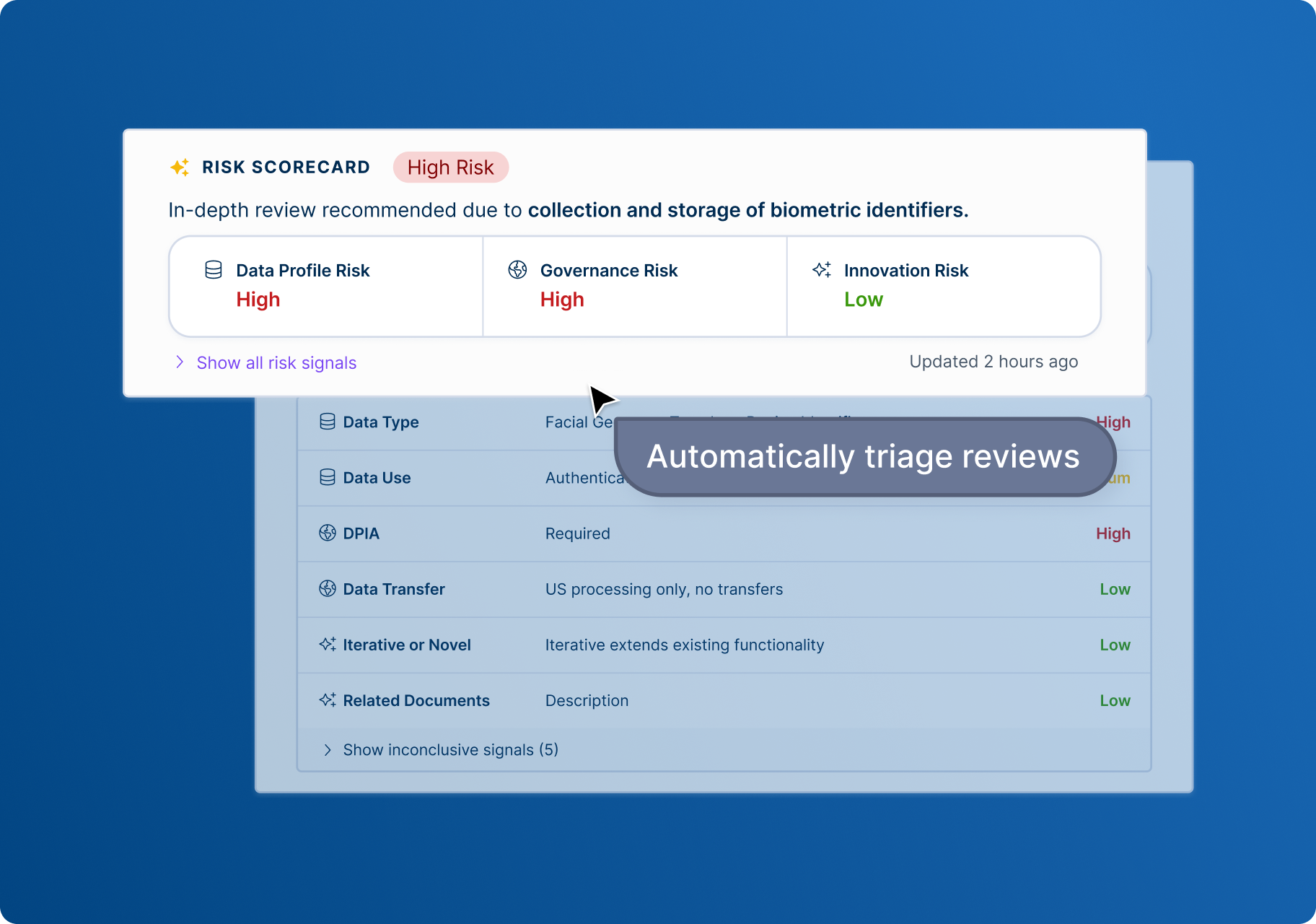
TerraTrue’s Google Docs integration creates a review and suggests intake answers for a person to check, apply, and submit. Its Risk Scorecard highlights data-use risks and related regulatory considerations; configured workflows handle routing separately. Use the ratings to prioritize questions and required assessments, then record the decision and unresolved conditions.
How do you keep a defensible record with no compliance staff
Keep four facts for every review: when it happened relative to the decision, what was considered, what was decided and by whom, and what changed as a result.
Retain supporting evidence, release conditions, and their completion status. Distinguish automated steps from human decisions so a later reviewer can understand what was authorized and what was implemented.
Frequently asked questions
Can a security team with no AI expertise review AI features?
It can perform initial screening and assess familiar controls such as identity, access, logging, and incident response. Escalate unfamiliar model behavior, high-impact uses, or specialist testing to a qualified reviewer rather than treating the three questions as a substitute for expertise.
How much time does AI security review take for a small team?
It depends on the use, documentation quality, integrations, and review depth. A written threshold, document-led intake, automated extraction, and answer suggestions can reduce repetitive work. Measure median review time, waiting time, escalation rate, and rework in your own environment rather than relying on a universal estimate.
Should we review AI before or after it is deployed?
Start before deployment, then reassess material changes and review previously unreviewed systems. Design-time review influences the proposed use; technical testing and runtime monitoring check whether the implemented system behaves as intended.
Do we need an AI governance board?
Use existing approval and escalation arrangements when they provide the necessary cross-functional authority. Establish a dedicated group when responsibilities or material decisions cannot be handled through those arrangements.
What should we do about AI that is already running without a review?
Record the actual review date, owner, data exposure, and available actions. Prioritize uses with sensitive data or broad permissions, apply interim restrictions where needed, and investigate whether the gap came from intake, discovery, ownership, or process changes.
See how TerraTrue reviews AI at design time
TerraTrue can start a review from the document where a team is still deciding, extract relevant context, surface data and regulatory risk signals, route work through configured workflows, and suggest answers for review. Book a demo to test it with one of your own documents.